04 · SECRETS
Secret scanning
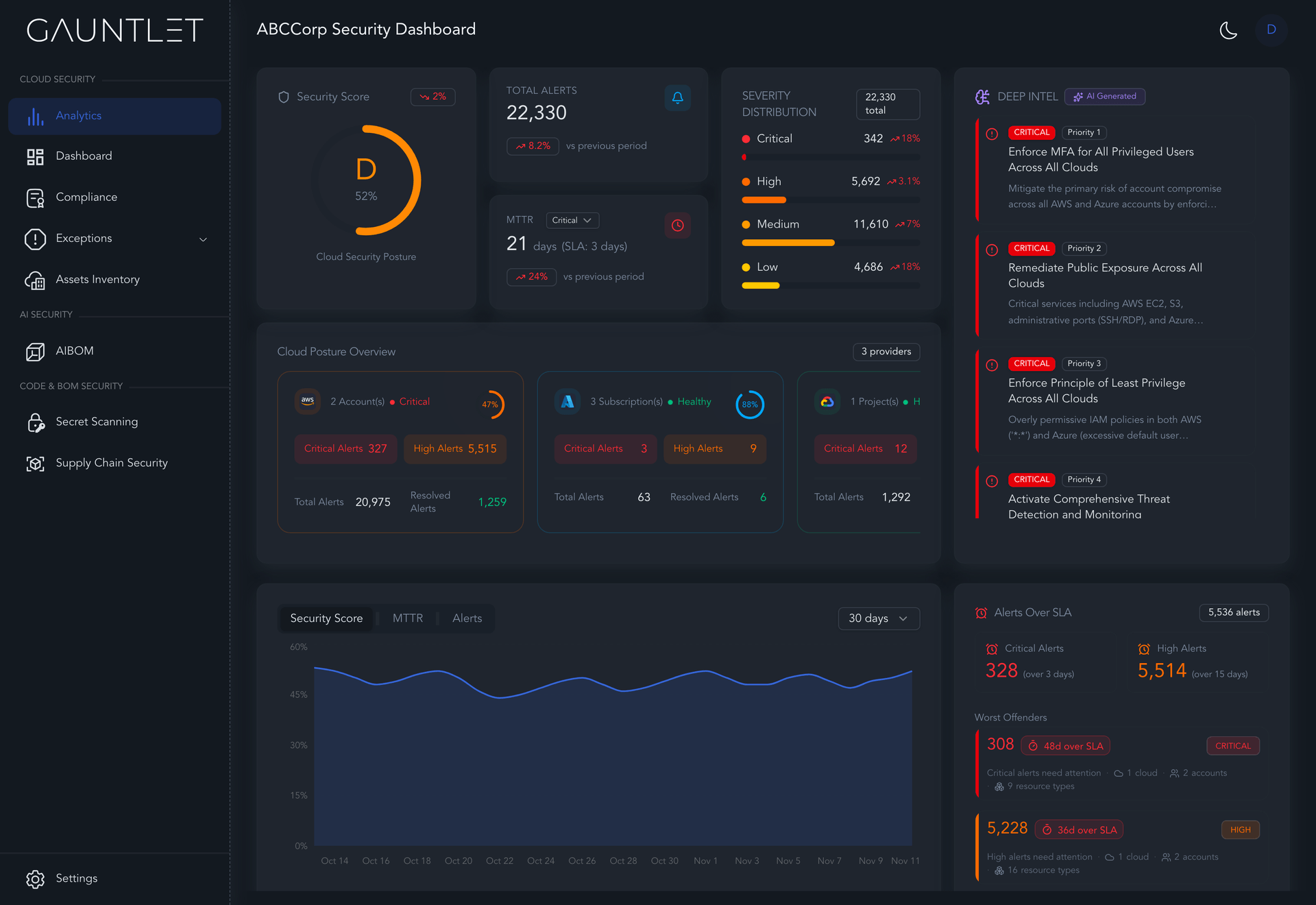
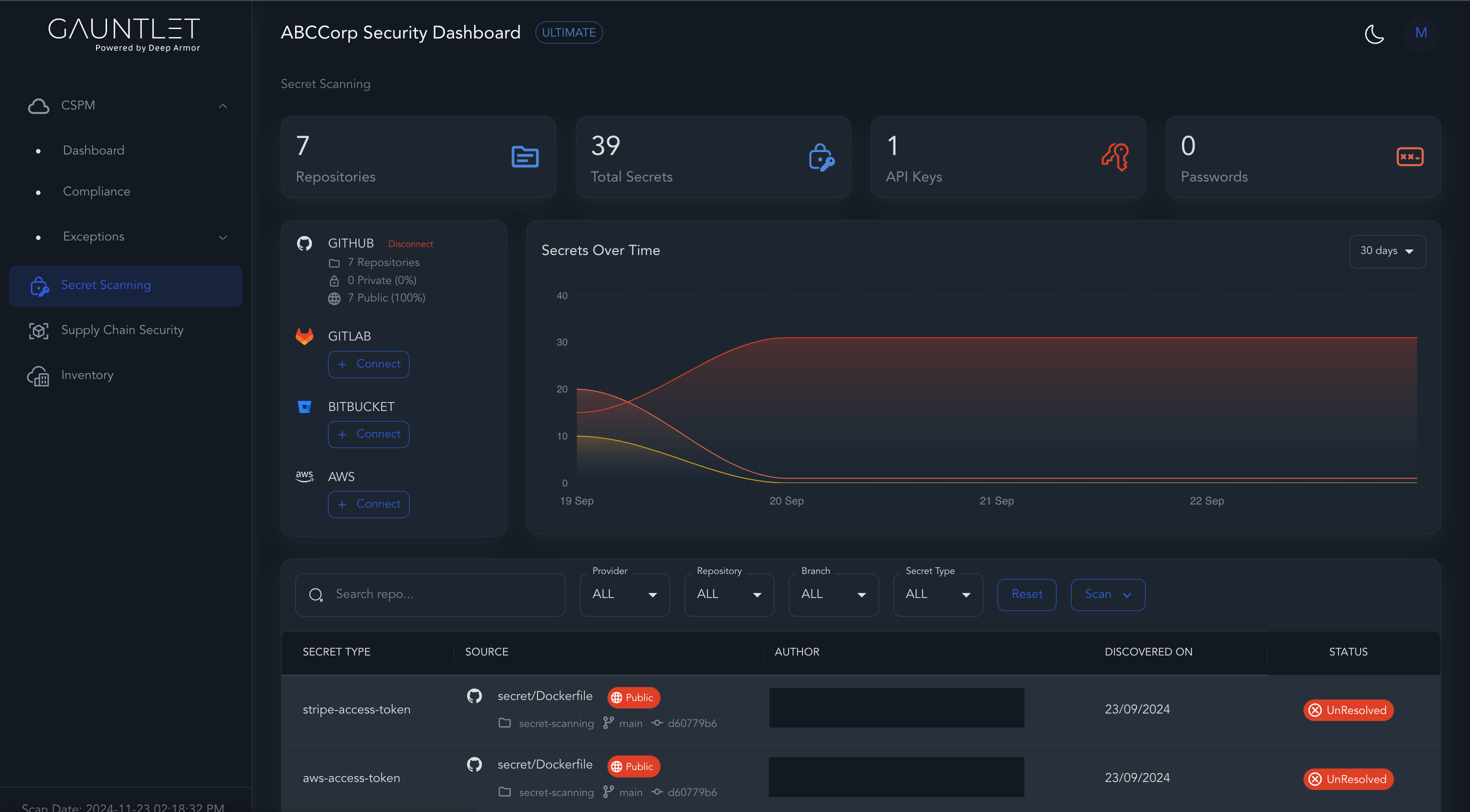
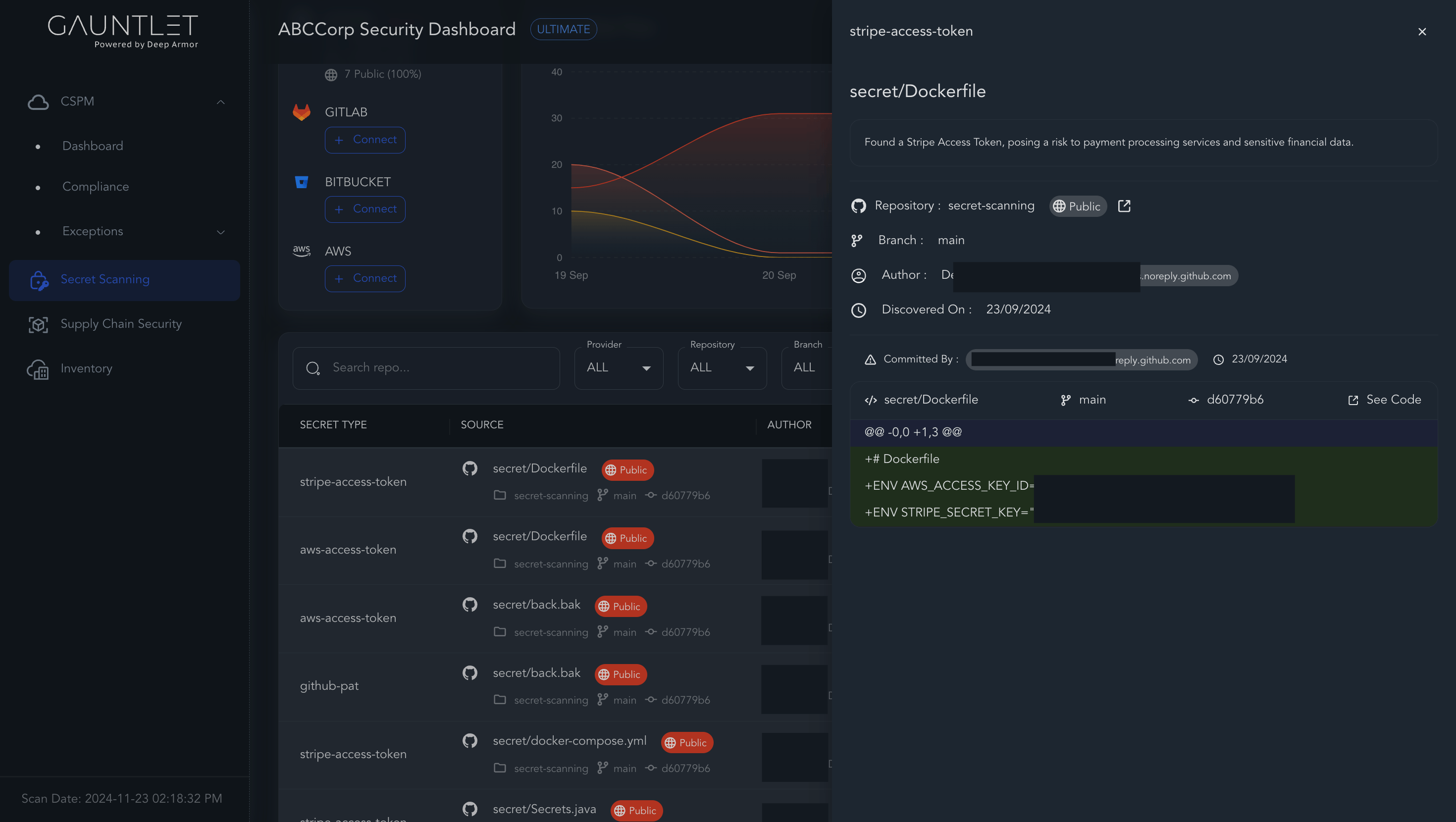
Gauntlet scans your code repositories for exposed secrets such as API keys, passwords, tokens and cloud credentials, and shows where each one is in the repository, so you can rotate the credential and remove it from the code.
- EXPOSED SECRETS IN CODE
- FILE AND LOCATION FOR EACH
- GITHUB · GITLAB · BITBUCKET
Challenge
Why secrets end up in code
Secrets get committed by accident
A key pasted into a config file for a quick test, a .env file swept into a commit, a token in a CI script: these are routine mistakes, and once pushed they stay in the repository.
Many repositories, many teams
Keeping track of exposed secrets across many repositories and several teams is slow when every repository has to be checked by hand.
Manual review is late review
A secret found during a quarterly review has been exposed for months. Finding it on the next scan shortens that window to the time between scans.
Approach
What Gauntlet does
Automated secret scanning across repositories
Gauntlet scans your connected repositories for exposed secrets and reports each one with its type and the file it is in.
Connects to GitHub, GitLab and Bitbucket
Connect the repositories you want scanned and Gauntlet reports the exposed secrets it finds in them.
One list per repository
Findings are listed per repository, so each team works from its own list.
01 · Exposed secrets, listed
Connect a repository and see what is exposed
- The dashboard lists the credentials, tokens and keys found in each repository.
- Connect a repository from the dashboard; results appear after the first scan.
02 · Type, file, repository
What you need to rotate and remove a secret
- Each finding shows the secret type and the file it is in, so the right person can rotate the credential and remove it from the code.
- Gauntlet reports the secret and does not change your repository: rotating the credential and removing it stay with your team.
FAQ
Common questions
What does Gauntlet secret scanning find?
How do I find exposed API keys and passwords in source code?
Which repositories can Gauntlet scan for secrets?
What should I do when a secret is found?
Other modules
More from the platform
Cloud Security Posture Management (CSPM)
Misconfigurations, compliance gaps and vulnerabilities across AWS, Azure and Google Cloud
Multi-Cloud Compliance
Findings mapped to more than 20 frameworks, with audit trails and reports
Software Supply Chain Security (SBOM)
Software bill of materials (SBOM) packages checked for public vulnerabilities, severity raised when exploits exist
AI SecurityNEW
AI-BOM (AI bill of materials) and AI-SAST (security testing for AI-generated code), both in beta
See your findings, with the steps to fix each.
A demo takes one call.
- No agents
- AWS
- Azure
- Google Cloud